
Documentation | Service version
Single version
Settings
1
Settings
In settings, you can change the way the information is displayed in your account.
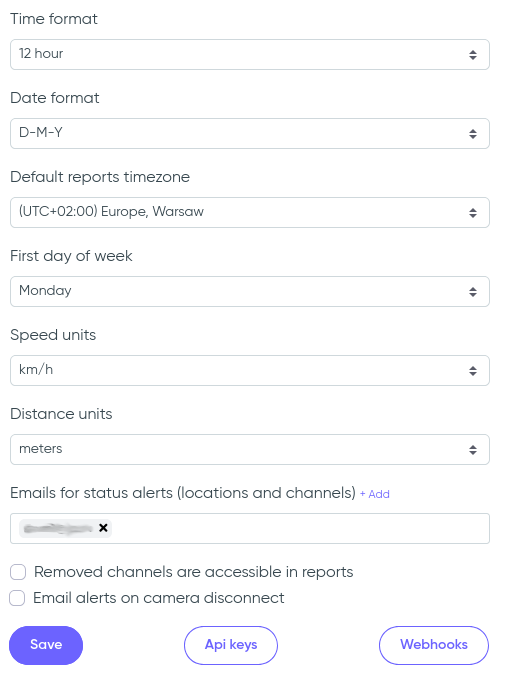
- Time format – choose between 12-hour and 24-hour display format;
- Date format – set your preferred format for displaying dates (e.g. D-M-Y);
- Default reports timezone – select the default timezone used in reports (can be overridden per report);
- First day of week – define which day starts the week (e.g. Monday);
- Speed units – choose between km/h and mph for speed-based analytics (e.g. Speed report);
- Distance units – select meters or feet as distance measurement units;
- Emails for status alerts – add one or more email addresses to receive system alerts about location/channel status;
Additional options:
- Removed channels are accessible in reports – if enabled, reports will still show data from channels that were deleted;
- Email alerts on camera disconnect – sends notification emails if a camera connection is lost;
At the bottom of the section, you’ll find access to:
- Api keys – manage and generate API keys for programmatic access to the Service API;
- Webhooks – configure webhook URLs for receiving real-time event data;